All
Onboarding Guides

Borderless

Raise by Borderless lets founders invite their own community to commit to their fundraise. If you've received an invite, it means a founder wants you to be part of their journey. Here's how to review the deal, make your commitment and get the documentation you need.
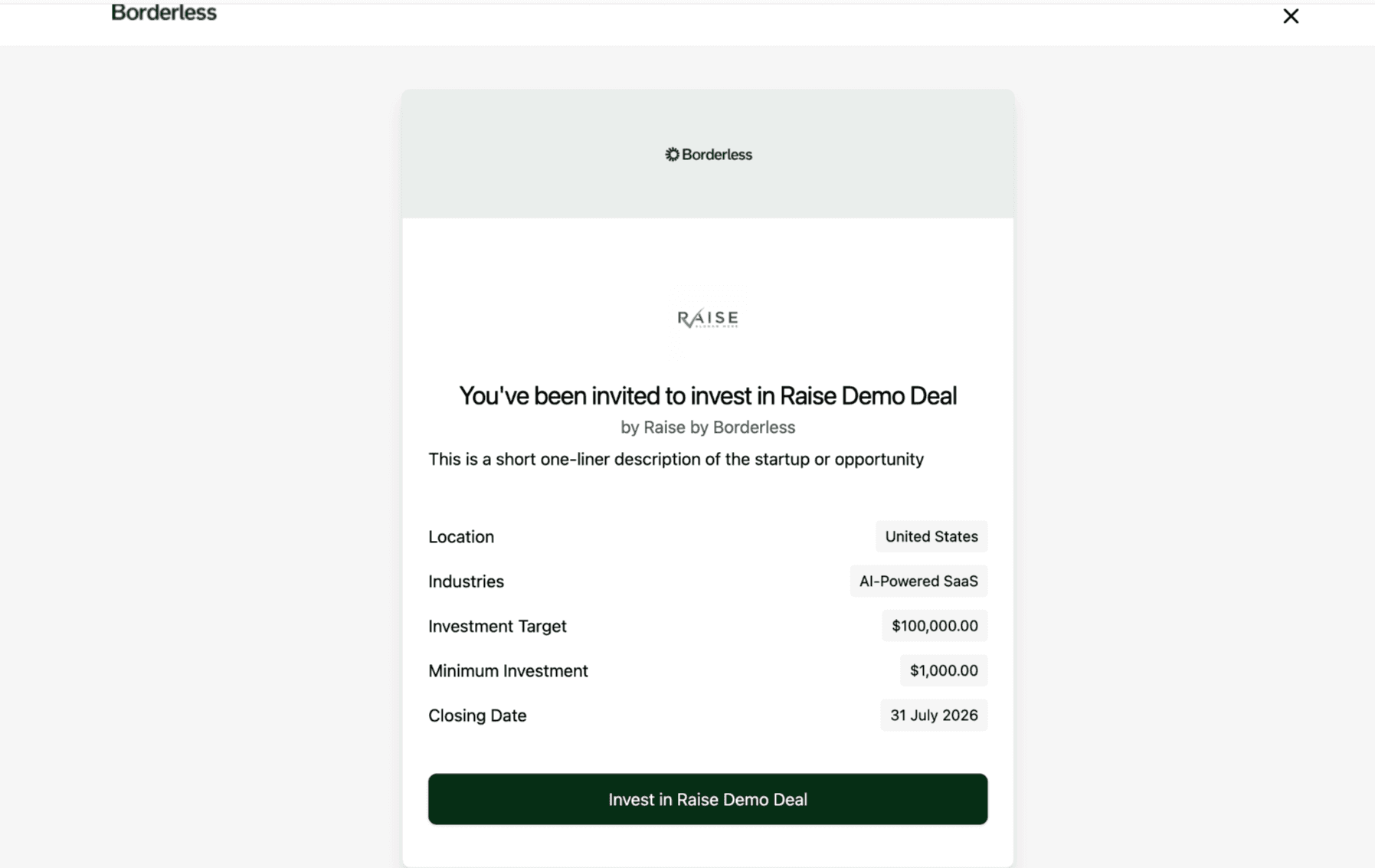
Step 1: Get your invite link
Raise by Borderless is invite-based so, you'll need a unique invite link from the founder whose fundraise you're joining. Once you click a collective's unique link, you'll be directed to the collective page. Click the "Invest in (Name of Startup/Project)" button. If you don't already have a Borderless account, you'll be prompted to create one. It takes 3 mins to setup.
Step 2: Complete your investor certification
Once you're signed in, you'll be asked to complete a Self-Certified Sophisticated Investor Statement. Read through the options carefully and select the one that best applies to you. This will take you to the next step of your account setup. This will take you to the next step of your account setup.
This confirms you're eligible to make this kind of commitment, which is why it's required before you can view deal details.
Step 3: Review the deal
You'll now have access to the startup or project's fundraise page. Take time to review all documents and information on the dashboard thoroughly before deciding whether to commit. The minimum commitment amount for this deal is shown at the top right, next to the "Invest" button.
Step 4: Click the “Invest" button
When you're ready, click the "Invest" button at the top right of the page. You will also see the minimum investment required. At this point, you'll need to complete KYC verification, this is mandatory for everyone, but only needs to be done once. Have your valid ID ready and make sure you're in a well-lit space for your selfie.
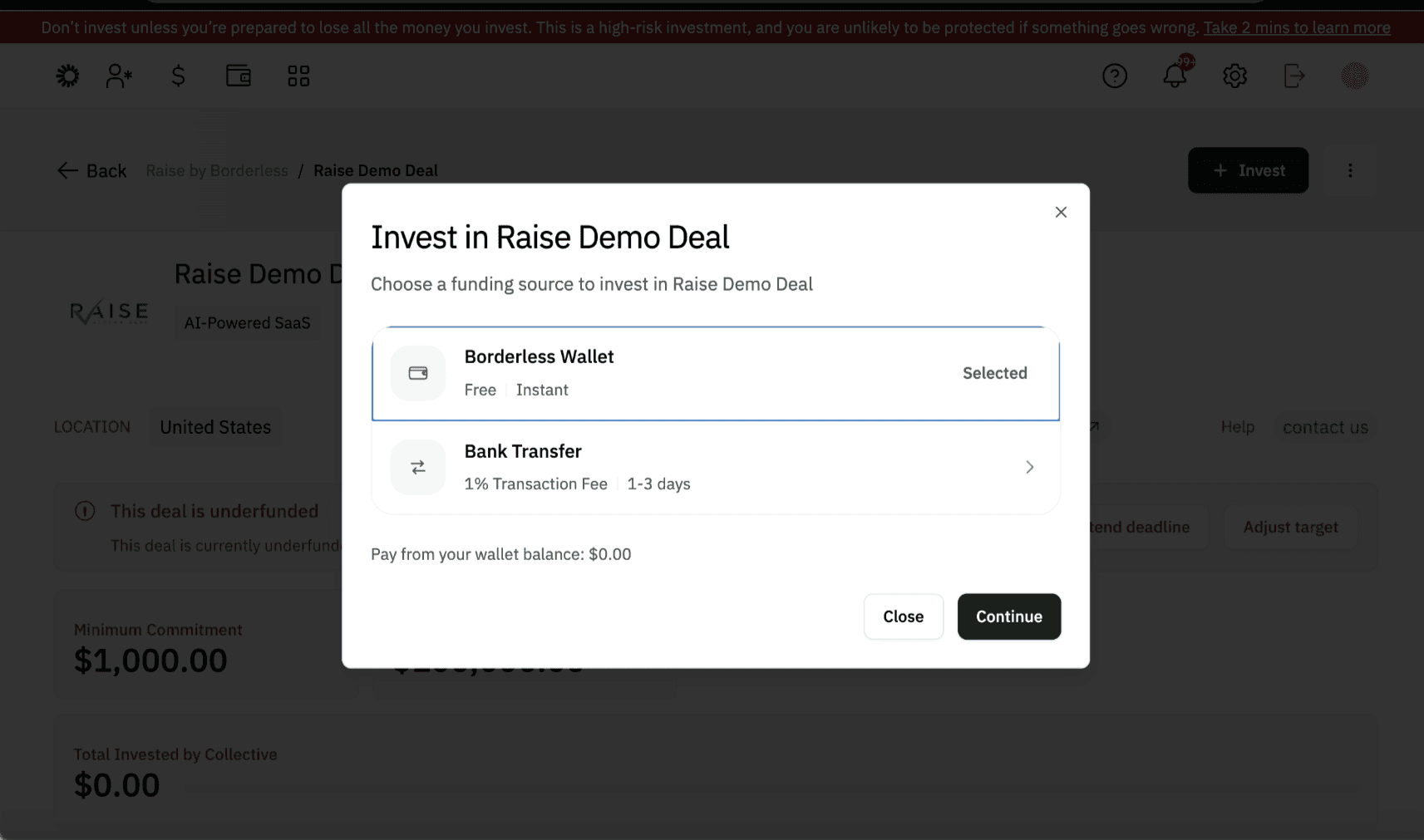
Step 5: Choose how to pay
Once KYC is complete, you can fund your commitment in one of two ways: through the Borderless wallet or by direct bank transfer. Both options work the same way in terms of fees, the choice comes down to what's easiest for you. The wallet tends to be faster, since everything happens within the platform but bank transfer works just as well if that's your preference.
A platform fee applies to every deal, shown on screen before you confirm payment regardless of which method you use, check it here before proceeding.
Using the wallet:
You can only fund your wallet in USD. As the wallet is currently USD-denominated, sending funds in EUR or GBP will automatically convert to USD, and you will see the conversion rate at the bottom of the page. Please note that the rates you see at the time of sending may not be the same when funds are received. Once your wallet is funded, it's faster and reconciles automatically within the platform. You'll be prompted to enter the amount you want to commit. If your wallet balance doesn't cover the minimum, you can top up directly. Read this guide on how to set up and fund your wallet if you haven’t.
If your wallet already has sufficient funds, continue straight to payment.
Using bank transfer:
Bank transfer works across all currencies if you do not have a wallet balance. Enter the amount you want to commit. You'll be able to choose from 10+ supported currencies. Select the one you prefer and make your payment. Once you've sent the funds, click "I have sent the money" at the bottom right of the page. Please add the reference at the top of the page in the transfer as this helps us reconcile easily.
Step 6: Confirmation
Once your payment is received, we'll confirm your commitment and send you a notification confirming payment, along with the necessary documentation.
Step 7: Round closing
This step may take some time, since it depends on when the founder decides to close their round. When that happens, you'll receive your final documentation.
You can also watch this video guide for a walkthrough of this entire process.
Need Help?
If you run into issues at any point in this process or while using the platform, reach out to the Borderless team at hello@onborderless.com with the subject line "Support Request" and we'll get back to you as soon as possible.
Not on Borderless yet? It takes 2 minutes to fill out this form here, and we'll send you everything you need to get started.
SHARE THIS ARTICLE
Latest Articles

Article
Why Diaspora Angel Investors Hesitate to Back African Startups And How Collective Investing Can Build the Trust That’s Missing

Article
How to Source Good Deals for Your Collective

Article
VCs vs Angel Investors: How to Tailor Your Fundraising Pitch

Article
Why Informal Early Funding Could Kill Your Series A Round
Who are our target audience?

How much does Borderless cost?
Can I join multiple communites?
What type of collective can I create on Borderless?
How can I engage my collective members?
Can I use Borderless for collective investments?
What security measures does Borderless have in place?arget audience?
Does Borderless provide customer support?


Privacy Policy
Terms of Service
© Borderless 2025



hello@onborderless.com